Introduction
Laboratory reports are increasingly delivered through both printed and digital channels. Patients may leave the laboratory with a paper copy, then later need to reopen the same results on a phone, share them with a physician, or keep a digital record for follow-up care.
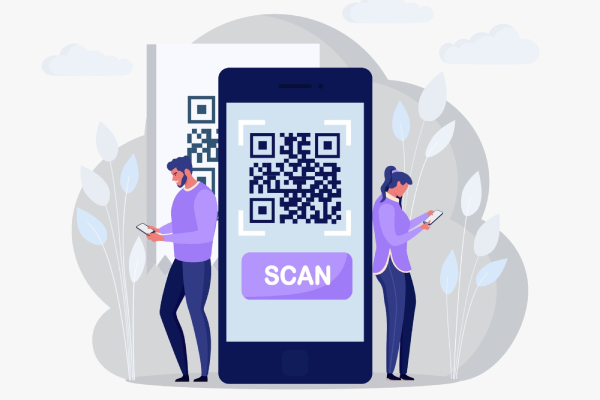
QR codes provide a practical bridge between those two formats. Instead of asking patients to type a long web address, a printed report can include a scannable code that opens the digital version of the same result package.
The VeinLIS laboratory information system uses this pattern in its reporting workflow: VeinLIS prepares the report and report-access destination, while QRLogo generates the QR code visual placed on the document.
The problem with printed report delivery alone
Printed reports remain useful. They are easy to hand over at reception, simple to file in a physical chart, and familiar for patients who prefer paper. The challenge appears when the same patient later wants a digital copy.
Long report URLs are difficult to type accurately on a mobile keyboard. Reception teams may receive repeated calls asking for another copy or a resend by email or messaging apps. Laboratories also want report documents to look professional and branded, which includes how digital-access cues appear on the page.
A QR code does not replace careful report design or application-level access control. It simply makes the path from paper to digital faster and less error-prone.
How the VeinLIS workflow works
In a typical report-delivery flow, the laboratory system and QR generation product each have a clear role:
- VeinLIS prepares the patient report after results are ready for release.
- VeinLIS generates a unique report-access URL for that report workflow.
- QRLogo converts the URL into a QR code visual.
- The QR code is placed on the printed or PDF report.
- The patient scans the code with a phone camera or QR reader.
- The patient opens the VeinLIS digital report-access page over HTTPS.
The important detail is what travels inside the QR code. The code encodes a destination URL. It does not embed the laboratory result values themselves. That keeps the QR payload small, scannable, and focused on navigation rather than carrying clinical content in the image.
Where security comes from
It is easy to overstate what a QR code does. A QR code is a visual encoding of data — in this case, a URL. The image itself does not encrypt laboratory results.
QRLogo generates the QR code used on the report, while VeinLIS manages the report-access URL and the application workflow behind it. HTTPS protects data in transit when the patient opens the destination page. VeinLIS can associate report access with application-level tokens and access tracking in its report-delivery workflow. Optional expiration can be applied when the laboratory configures token lifetime; it is not assumed for every report by default.
In short: visual generation and access control are separate responsibilities. Confusing them leads to unsupported claims about “secure QR images.”
Benefits for laboratories
For laboratory teams, QR-enabled reports reduce friction between print and digital delivery. Patients can reopen results without asking staff to retype a link. Report templates can include a consistent digital-access cue beside branding elements such as logos and branch details.
Consistent QR generation also helps operations. When every report uses the same visual approach, staff know where the digital access point sits on the page, and patients learn to look for it. That supports smart laboratory reporting experiences where printed clarity and digital convenience work together.
Laboratories still control the surrounding process: when reports are released, how patients are notified, and how access is managed in the application. The QR code is one touchpoint inside that larger workflow.
Benefits for patients
From the patient side, the main advantage is speed. Scanning a code on a paper report is usually faster than typing a long URL or searching through messages for an older link.
That convenience matters after the visit, when patients want to review results again, save a digital copy, or show the report during a later consultation — subject to the laboratory’s access rules. The experience feels more modern without requiring the patient to understand laboratory software.
No QR workflow should promise medical advice, privacy guarantees beyond the application’s actual controls, or regulatory outcomes. The value is practical access, not clinical interpretation.
Why branded QR codes matter on reports
Laboratory reports already carry visual identity: logos, colors, headers, and branch information. A plain black-and-white QR code can work technically, but a branded code can fit the document more cleanly.
QRLogo supports visual customization that helps codes match report design, including logo placement, color choices, and downloadable outputs suitable for print or PDF workflows. Branding improves recognition and layout consistency. It does not make the QR code more secure by itself.
Practical considerations for report QR codes
Good QR implementation is mostly operational discipline:
- Keep enough contrast between the code and the background.
- Leave quiet space around the code so scanners can find the edges.
- Avoid printing codes that are too small for phone cameras.
- Test sample printouts before rolling the template out widely.
- Ensure the destination report-access page is mobile-friendly.
- Use HTTPS for the destination URL.
- Avoid placing patient details directly inside the QR payload; encode a URL instead.
- Control or revoke report access at the application level where the laboratory’s workflow supports it.
These practices matter more than decorative QR styling. A beautiful code that fails after printing creates support work; a clear, tested code reduces it.
Conclusion
QR codes can connect printed laboratory reports to digital workflows when the responsibilities are clear: QRLogo generates the scannable visual, and VeinLIS manages the report-access destination and application workflow behind it.
Implemented carefully — with readable print design, HTTPS destinations, and application-level access control — the pattern helps laboratories improve patient convenience without turning the QR image into an unsupported security claim.